
Once you've written a few rules, the same handful of habits make everything faster. These are the ones worth knowing.
1. Scope every rule to an app#
The Source field chooses which applications a rule applies to. It's tempting to skip thinking about it, but a rule that matches api.acme.dev for every app on your machine will also change what your chat client and your terminal see. Pick the one app you're testing. Rules for different apps can share conditions without stepping on each other.
2. Combine conditions to be precise#
All conditions on a rule have to match, so stack them. Method, path and a header together are far safer than the URL alone:
- HTTP Method
isPOST - URL → Path
starts with/v1/payments - Request Header
AuthorizationcontainsBearer
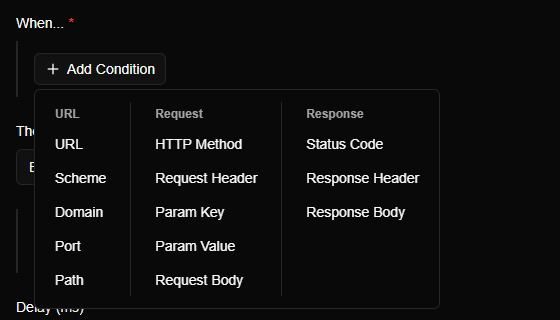
The URL category can look at the whole URL or just one part: scheme, domain, port or path. Domain is api.acme.dev is more accurate than URL contains acme, which also matches acme-cdn.example.com.
The Add Condition menu is where you choose what to look at:
3. Match several values with "is one of"#
Instead of writing three rules, use the is one of operator and give it a list. Any of these work for text and for numbers:
- Domain
is one ofapi.acme.dev,api2.acme.dev - Status Code
is one of500,502,503
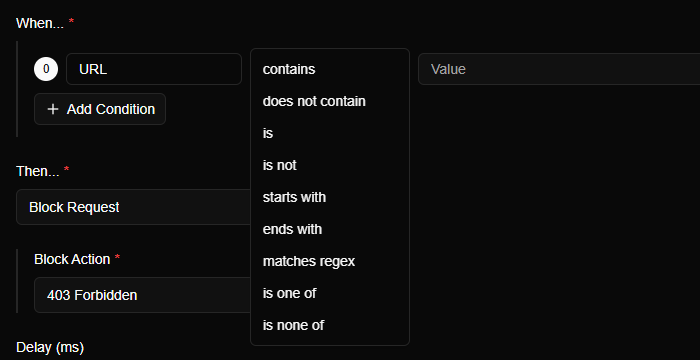
There's an opposite, is none of, for "everything except these". Every operator lives in the dropdown in the middle of the condition row:
4. Capture with regex, reuse with templates#
The matches regex operator isn't just for matching. Use a capture group in the condition and read it back in the action:
- Condition: Path
matches regex^/users/(\d+)/avatar$ - Action, in a URL or body:
{{conditions.0.matches.1.value}}
With that, /users/42/avatar can become http://localhost:3000/avatars/42.png. The full list of variables, including {{request.headers.Name}} and {{response.status}}, is in the template variables reference.
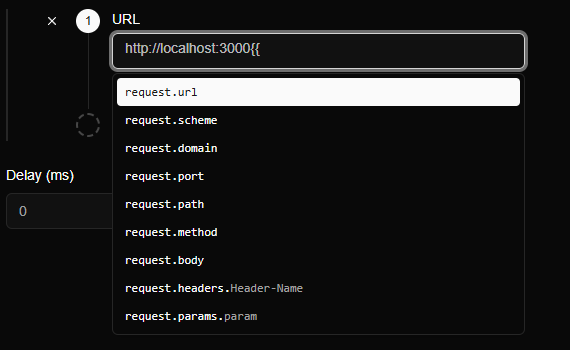
You don't need to memorize them. Type {{ in any action field and the editor lists what's available:
And this mock shows the capture-group trick end to end: one rule, and /todos/7 and /todos/42 each get their own number back.
5. React to the response, not just the request#
Conditions aren't limited to what the client sent. Status Code, Response Header and Response Body let a rule decide based on what came back:
- Status Code
greater than or equal to500→ send the request to a fallback server with Proxy to different endpoint. - Response Header
Content-Typecontainsjson→ modify only JSON responses.
Remember the trade-off. A rule that looks at the response can only run after the response arrives, so Modify Request isn't available for it, and Proxy to different endpoint is only available for it.
6. Name rules for the future you#
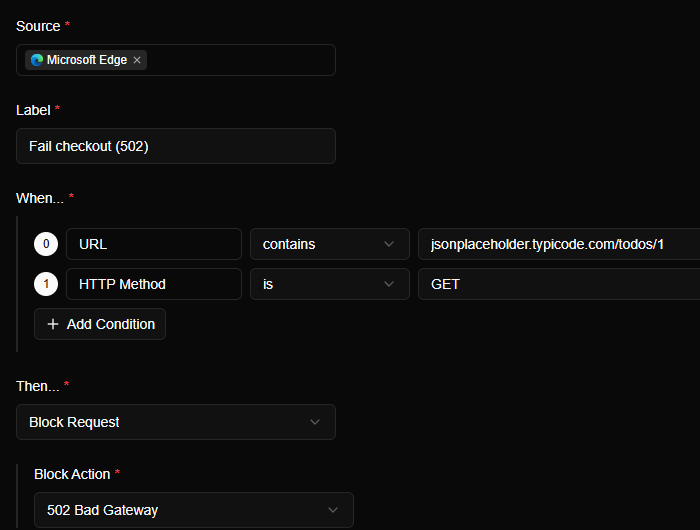
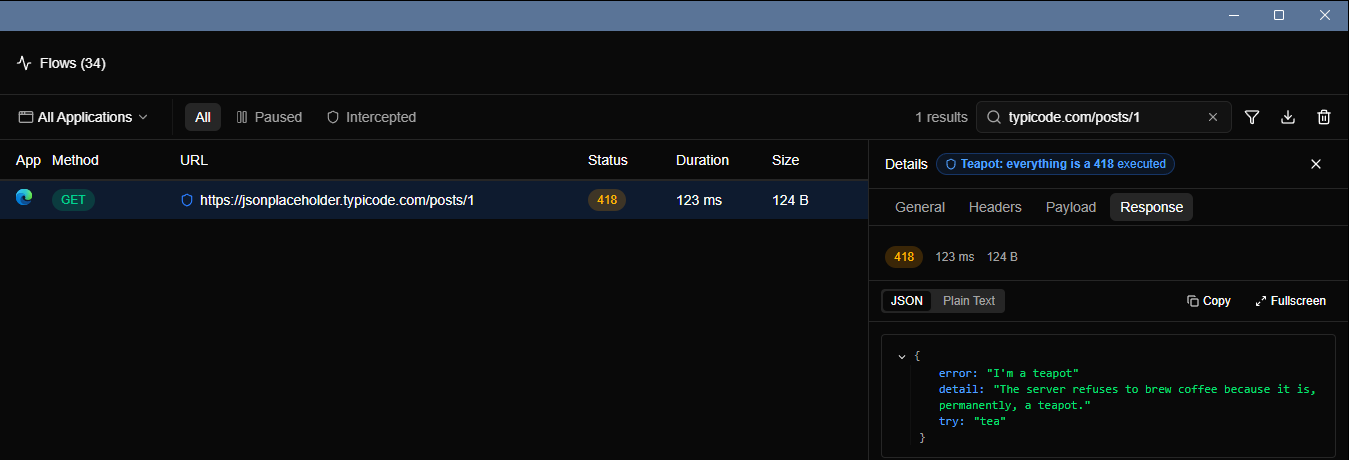
A rule's label appears next to every request it affects in Flows, and in the Intercepted tab. Rule 1 tells you nothing. Fail checkout (502) or API → localhost tells you exactly what's going on when the app behaves strangely three weeks later.
7. Keep a library; switch, don't delete#
Every rule has an on/off switch on the Rules page. Build up a small library of rules that you use again and again, such as Hang payments, Slow feed 4s, Mock empty list and Staging → localhost. Leave them off, and enable one when you need it.
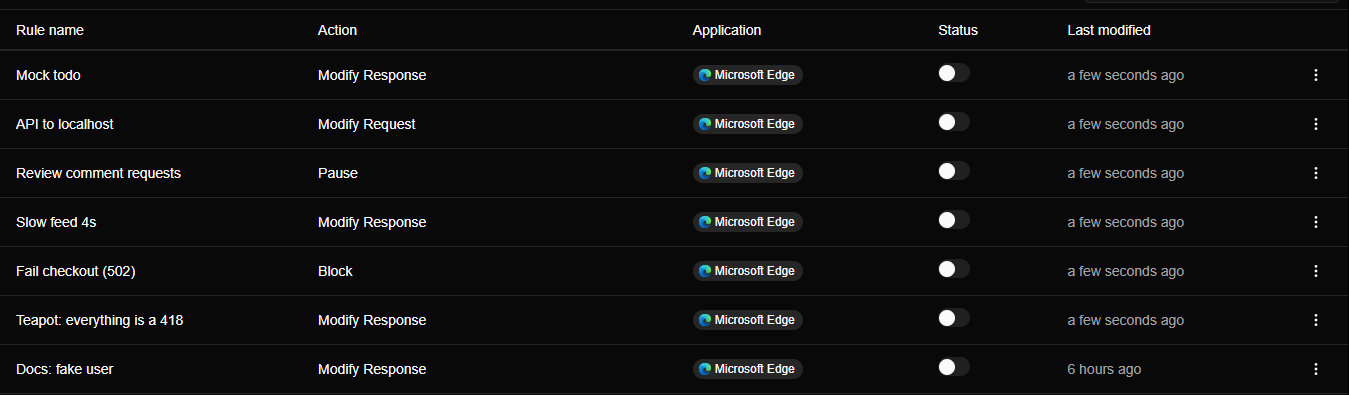
Rules are checked in the order shown on the Rules page, with the top row winning a match first. When two rules could apply to the same request, check which comes first.
Bonus: use Flows to write the rule#
The fastest way to get a condition right is to copy it from a real request. Find the request in Flows, look at its method, URL and headers, and build the rule from what you see. A rule that matches by eye usually matches in practice.