
Most apps handle "fast and correct" and "fast and wrong". Far fewer handle "slow", and "never" is the one that hangs production. Spinners that never stop, buttons that can be double-clicked while a request is in flight, retries that pile on top of each other: all of these show up only when a response doesn't arrive on time.
Mittelware has two tools for this: the Timeout option on block rules, and the Delay field that every rule has.
Make a request hang forever#
A block rule normally answers instantly with a status like 403. Choose Timeout (no response) instead and Mittelware holds the connection open and sends nothing back, until your client gives up on its own.
- Label:
Hang the payments API - When… URL
starts withhttps://api.acme.dev/v1/payments - Then… Block Request, and under Block Action choose Timeout (no response).
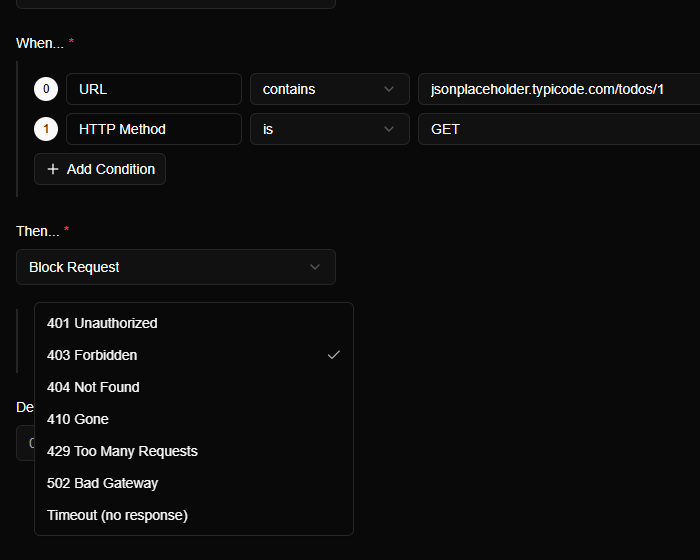
Because it's Block Request, the request never reaches the server, so nothing happens on the other side. Now try the screen and see what it does:
- Does a spinner show, and does it ever stop?
- When your HTTP client's timeout fires, what does the user see?
- Can the user cancel? Can they leave the screen and come back?
- If you tap "Pay" twice while it hangs, how many requests go out?
Make a request slow#
The Delay field waits a number of milliseconds before the rule's action happens. It's available on every action, which makes it a latency dial.
For a slow success, pair it with a rule that changes something. For example, a Modify Response rule that sets a harmless header, with a delay of 4000, makes the real response arrive four seconds late.
Delay:   4000 ms
Header:  X-Simulated-Latency: 4000
This is what that rule looks like. We aimed it at a practice server so the result is easy to see:
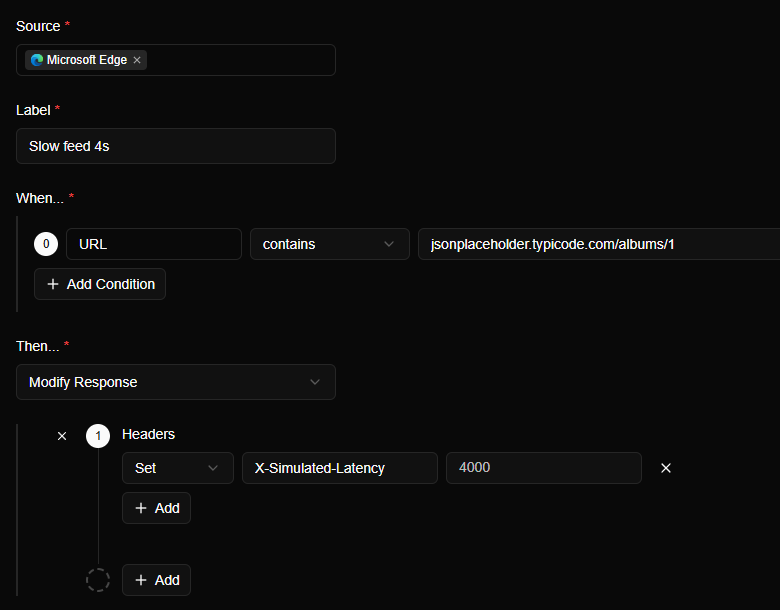
Load the address and the page takes about four seconds to appear. Then open Flows and look at the Duration column:
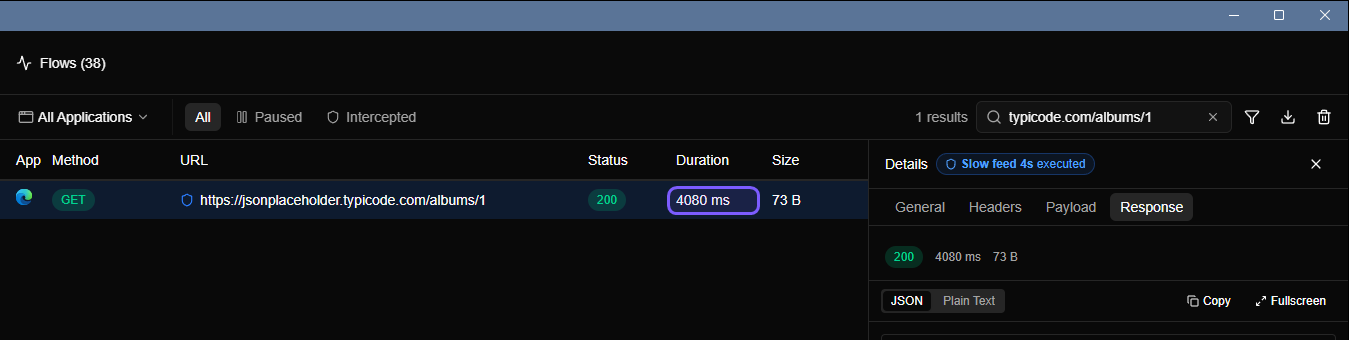
For a slow failure, put the delay on a block rule: Block Response with 429 and a delay of 2000 makes your app wait two seconds and then learn it's being rate-limited.
Experiments worth running#
| Delay | What it tests |
|---|---|
| 300–800 ms | Whether loading states appear, and whether they flicker |
| 3–5 s | Skeleton screens, optimistic updates, "taking longer than usual" messages |
| Just under the client timeout | Whether things work on a bad connection, or only on a good one |
| Over the client timeout | The timeout path itself, and what it says |
| Timeout (hang forever) | Cancellation, retries, and what happens after the user gives up |
Check the retry logic#
A hung request plus a retrying client is an experiment with a lot of failure modes. Watch Flows while your app retries:
- Is there backoff, or does it hammer the endpoint every second?
- Is there a cap, or does it retry forever?
- Are retried requests idempotent? For
POSTs that create things, a retry after a lost response can duplicate the work. Try Block Response to see exactly that case.
TIP
Name your rules after the behavior, like Hang payments or Slow feed 4s. The label shows on every matching request in Flows, so you can tell at a glance which of your experiments is active.
Remember to switch it off#
A forgotten timeout rule is a good way to spend an afternoon wondering why the app is broken. After testing, switch the rule off from the Rules page. It's one click and it stays there for next time.