
Error handling is the part of an app that gets the least real-world testing, because errors are hard to cause on purpose. You can't ask your payment provider to return a 502 on request, and you shouldn't edit a backend just to see a toast.
With Mittelware you can make any request fail in under a minute, and undo it just as fast.
What you'll build#
A rule that turns every POST to /v1/checkout into a 502 Bad Gateway with a JSON error body, so you can watch the checkout screen deal with it.
1. Find the request#
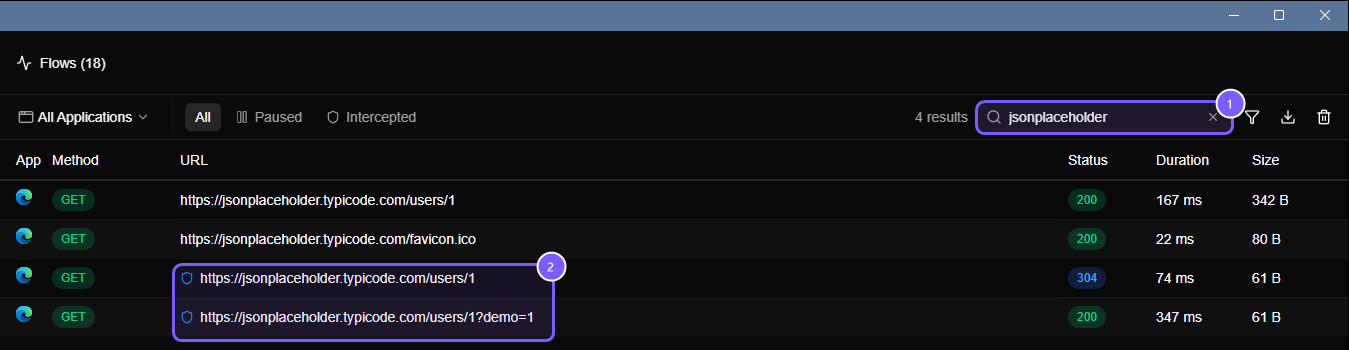
Switch Mittelware on, use your app the way you normally would, and open the Flows page. Type part of the URL into the search box to find the request you want to break. Click it to see its URL, method and headers; you'll use them in the rule.
2. Create the rule#
Open Rules, click Create Rule, and fill it in:
- Source: the app you're testing, for example Chrome.
- Label:
Fail checkout. Labels show up on matching requests in Flows, so make them descriptive. - When… add two conditions (they both have to match):
- URL
contains/v1/checkout - HTTP Method
isPOST
- URL
- Then… choose Modify Response and set:
- Status:
502 - Header:
Content-Type: application/json - Body:
- Status:
{ "error": "payment_gateway_unavailable", "retryable": true }Save it and trigger the checkout again. In Flows the request now shows a shield icon, a 502 status, and the rule's name in the details pane.
3. Look at what your app does#
This is the useful part. Go through the list:
- Does the UI show an error, or does it spin forever?
- Is the message helpful, or does it say "undefined"?
- Does a retry button appear, and does it work?
- Is the order, cart or form state still intact after the failure?
- Does the app read
retryablefrom the body, or ignore it?
Change the status to 503, 429 or 500 and run it again. Each status tends to exercise a different code path.
Don't charge a real card#
WARNING
Modify Response lets the real request go through to the server and only changes what comes back. If that request creates an order or takes a payment, it still happens, and your app just won't know.
When the request has side effects, use Block Request instead. It stops the request before it reaches the server, so nothing happens on the other side, and it answers the client with the status you pick: 401, 403, 404, 410, 429 or 502.
| You want to test… | Use | The server sees the request? |
|---|---|---|
| The app's error UI, with no side effects | Block Request with 502 |
No |
| An error body or custom headers | Modify Response | Yes |
| The app losing a response it was waiting for | Block Response | Yes |
That last row is a nasty real-world case: the server did the work, but the client never found out. It's where duplicate orders come from. If your app retries after a lost response, this is how you find out whether the retry is idempotent.
The safe version, in pictures#
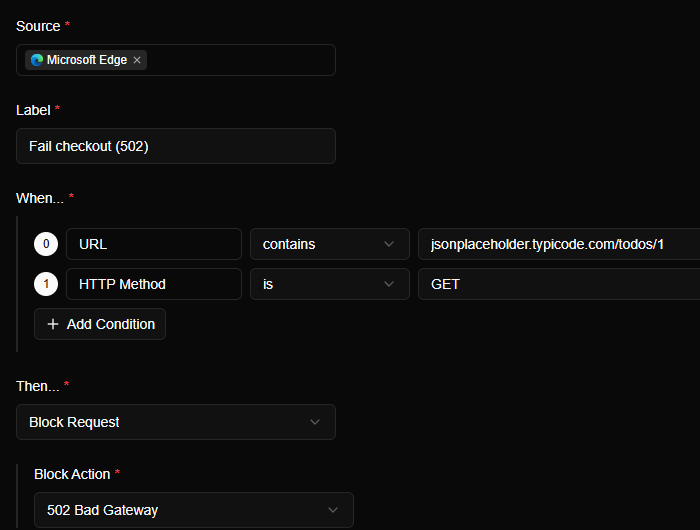
Here is the Block Request version of the checkout rule, aimed at a harmless practice server so you can see every step. The two conditions (the URL, and the HTTP method) both have to match, and the action is Block Request with a Block Action of 502 Bad Gateway:
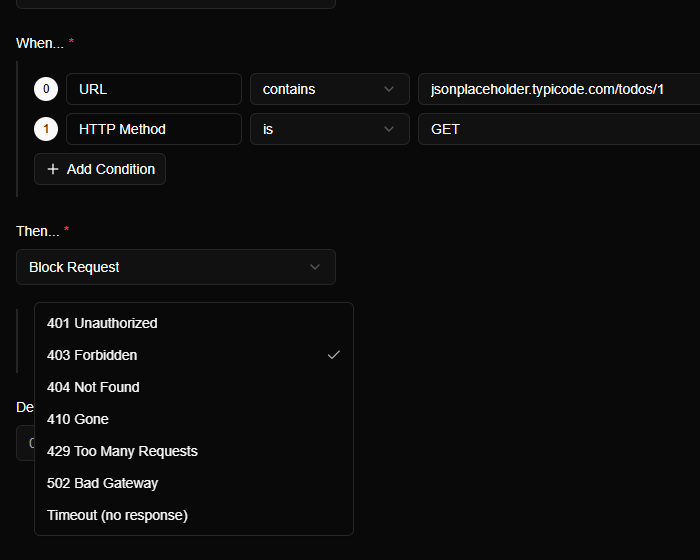
The Block Action list is where you pick what the client sees. It offers 401, 403, 404, 410, 429, 502, and a Timeout (no response) option, which gets its own post: Test timeouts and slow responses.
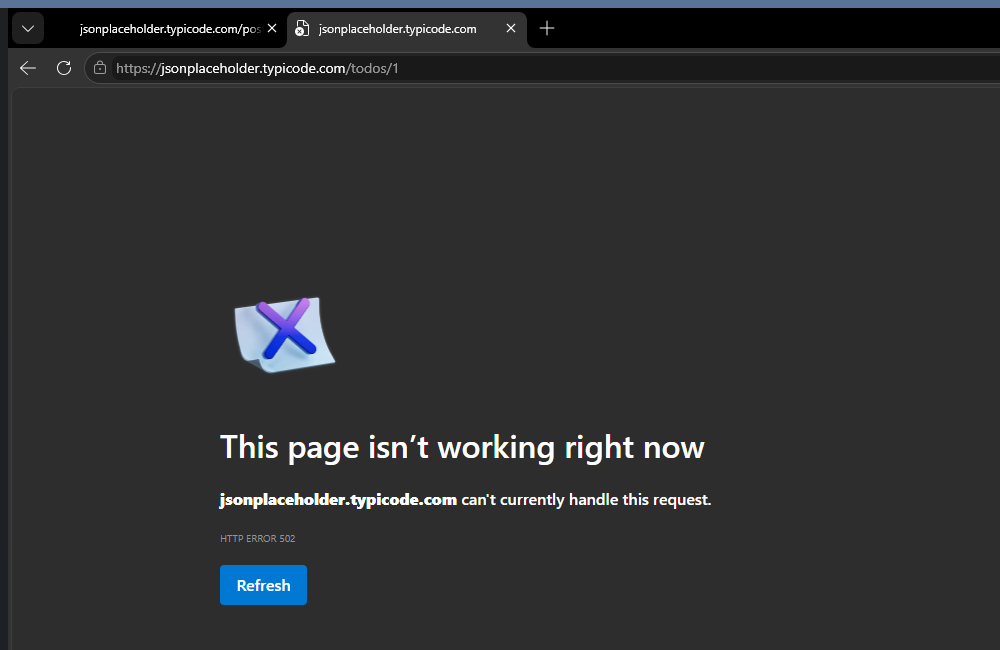
Load the address and the browser behaves exactly as it would if the server were down:
Now look at the Flows page:
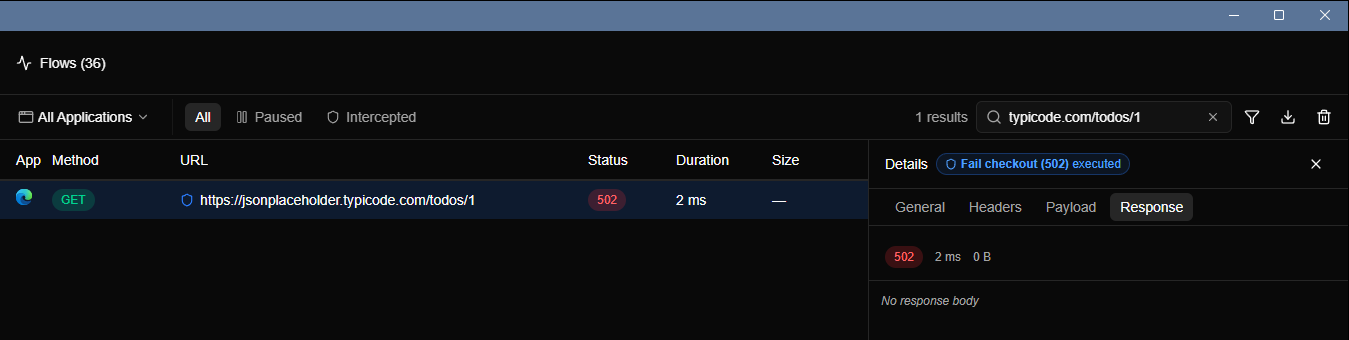
The duration is 2 ms, and the size is blank. A real request to a server takes tens or hundreds of milliseconds. This one never left the machine, which is exactly why Block Request is the safe choice when a request has side effects.
Turn it off#
Switch the rule off from the Rules page when you're done. You don't need to delete it; flip it back on next time you want to break checkout.